













































SAP CLOUD INTEGRATION CI/CD USING GITLAB
WRITTEN BY
INTEGRATION
In this blog I have explained how to deploy and run CI/CD pipeline for SAP Cloud Integration artifact using GitLab.
By the end of this article you would be able to deploy a basic CI/CD pipeline for your artifact.
pre-requisite:
1. SAP Cloud Integration trial account.
2. An existing cloud integration flow.
3. GitLab with an active runner.
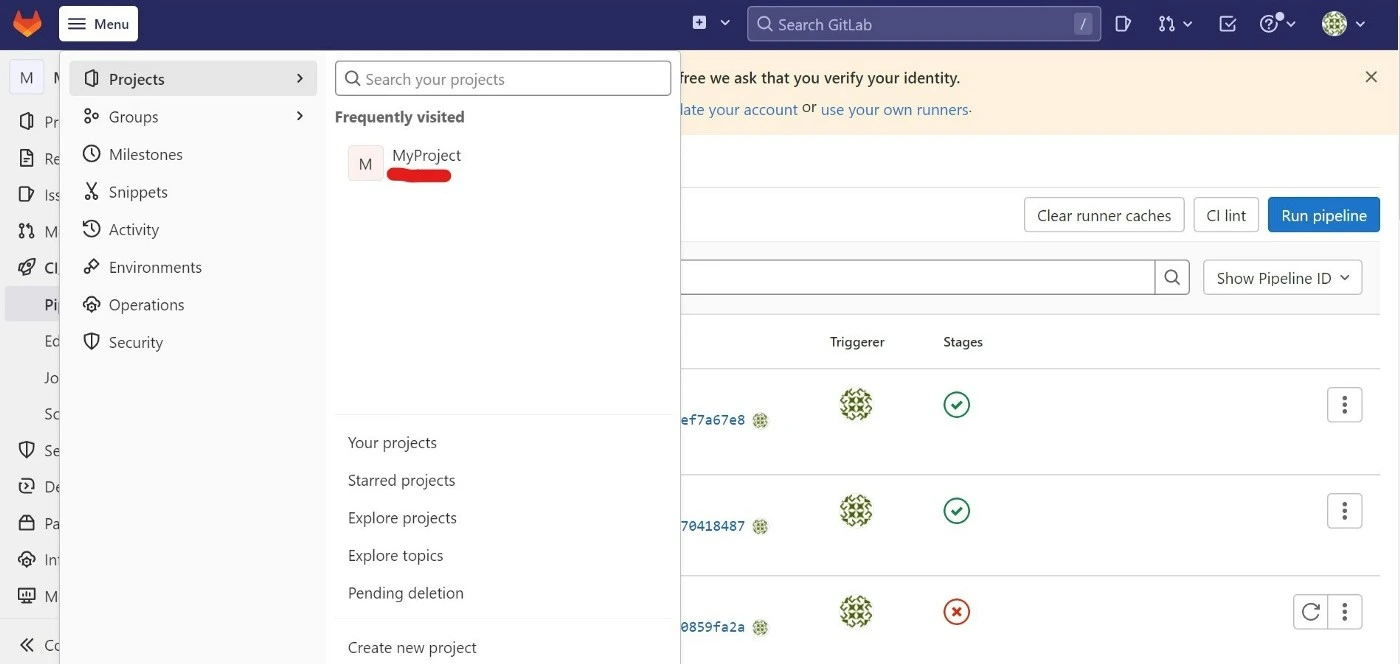
1. Create a new project in GitLab:
2. Modify the YAML config file :
Update the YAML file to deploy the integration artifact using Piper.
Piper is an open source tool to implement continuous delivery.
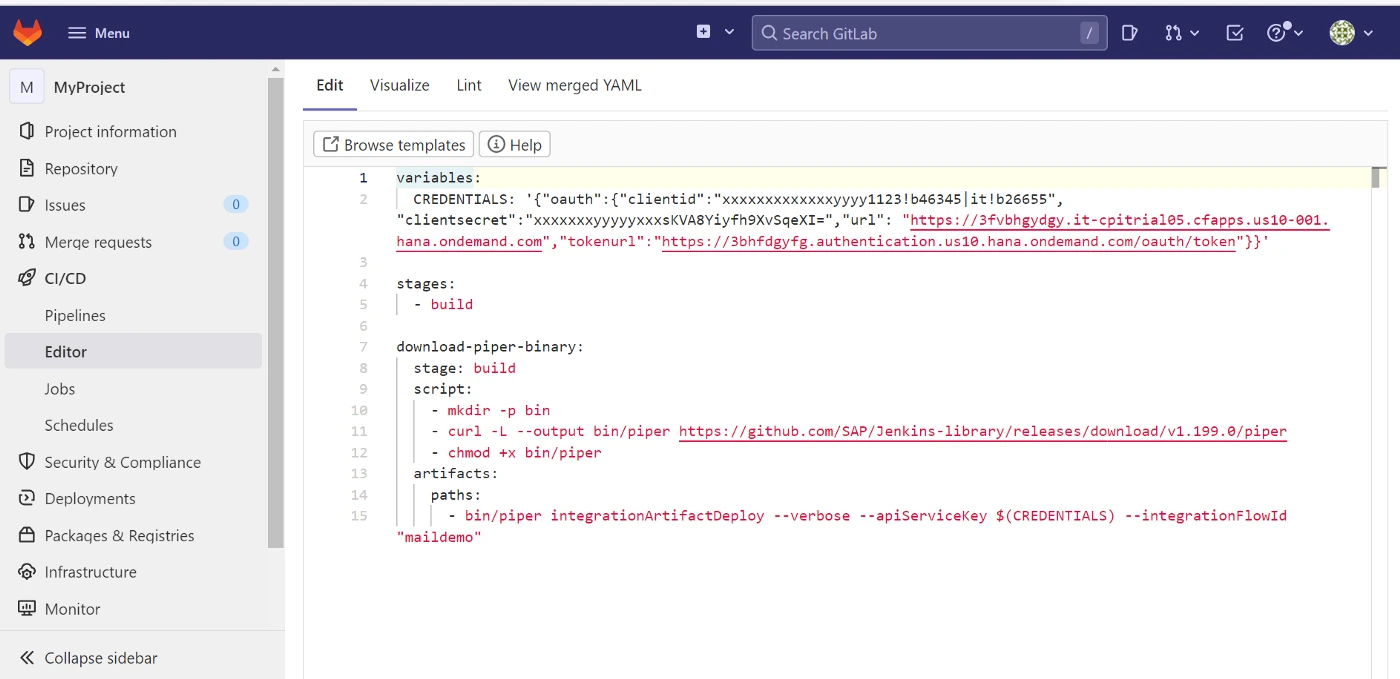
Replace the “CREDENTIALS” value as explained below:
Go to your SAP BTP trial account > select your API instance (create a new instance, if not already done)> click on the service keys > copy the entire credentials.
{
“oauth”: {
“clientid”: “xx-xlkjjfd-asd-xxxx-0000-xxxxxx!0000|it!sssss”,
“clientsecret”: “12345–6788–45rt-adcd-asdgthkjfn_xxxxxxxxxxxx”,
“url”: “https://3xxxxxxxx.it-cpitrialxx.cfapps.us10-001.hana.ondemand.com“,
“tokenurl”: “https://3xxxxxxxx.authentication.us10.hana.ondemand.com/oauth/token“
}
}
Replace the “maildemo” with your actual Iflow ID
bin/piper integrationArtifactDeploy –verbose –apiServiceKey $(CREDENTIALS) –integrationFlowId “maildemo”

3. Run the pipeline
Click the commit changes as shown below to run the pipeline.

4. Pipeline successfully triggered:
Once the pipeline is passed successfully you can see the status as shown below.

Once the pipeline is successful it will trigger the respective Cloud integration flow “maildemo”


SAP Integration Suite vs. MuleSoft: Which Integration Platform Is Better for SAP-Centric Enterprises?
Comparing SAP Integration Suite vs MuleSoft? This detailed evaluation contrasts both enterprise iPaaS platforms across architecture, deployment, pricing, Event Mesh, and Salesforce integration. Discover why SAP Integration Suite provides seamless, cost-effective native connectivity for SAP-centric organizations, while MuleSoft offers flexible API-led orchestration for hybrid multi-cloud environments. Learn which solution best fits your enterprise strategy.

How Agentic AI Automates SAP Integration Suite API Management with an MCP Server
Enterprise API management has long been constrained by manual workflows, complex governance, and repetitive configuration steps. This detailed article explores how combining Agentic AI with Model Context Protocol (MCP) servers transforms SAP Integration Suite API Management. Discover how autonomous AI agents interpret natural language prompts to automate every phase of the API lifecycle from instant proxy creation and policy configuration to seamless deployment, automated documentation generation, and developer portal publication. Learn how to accelerate time-to-market while maintaining strict enterprise governance.
